Step 1: Work Out Your Numbers Before You Talk to Any Provider
Most business owners start by browsing websites. Start here instead it takes five minutes and changes everything about which provider fits.
Write down:
How many calls do you get in an average week? Check your phone records if you're not sure.
What time do most calls come in? Business hours, evenings, or a mix?
What's the most common reason someone calls? Booking, pricing questions, emergency, general enquiry?
If you skip this step, you'll end up comparing plans that don't match your actual business either paying far more minutes than you need or running out mid-month.
Step 2: Test the Voice on a Real Demo Call
Don't judge AI Receptionist provider by its website. Ask for a live demo or a sample recording and actually listen to it as if you were a customer calling with a genuine question.
Pay attention to:
Does it sound like a natural conversation, or a script being read aloud?
Does it handle an unexpected question without breaking?
Would you, personally, be comfortable if this was the first voice your customers heard?
This single test filters out more bad options than any feature comparison chart.
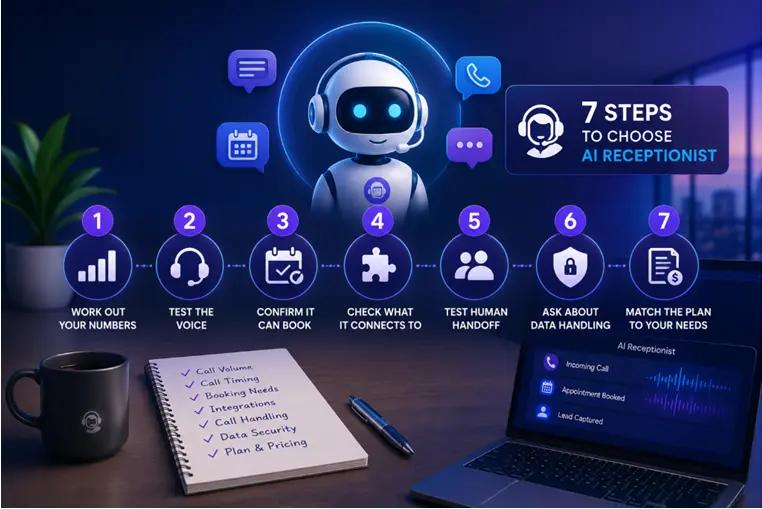
Step 3: Confirm It Can Actually Book, Not Just Take a Message
Ask the provider directly: "If someone calls wanting an appointment, what happens, step by step?"
You want an answer that includes checking real-time calendar availability and confirming the booking during the call, not "it takes up their details, and someone follows up later." If it's the second one, you've basically bought an answering machine with a better voice.
Step 4: Check What It Connects To
Ask specifically whether it connects to:
Your calendar (Google Calendar is the most common)
Your CRM, or at least a webhook you can connect to your own system
SMS, email, or WhatsApp for call summaries
If a provider can't answer this clearly, or says "custom integration available" without details, get it in writing before you sign anything.
Step 5: Test Human Handoff This Is the Step People Skip
This is the feature most businesses only think about after something goes wrong.
On your demo call, deliberately say something urgent or unusual: a complaint, an emergency, a question outside normal business hours. Ask what the provider system does in that exact situation.
A good AI receptionist will recognize it and transfer it to a real person, along with the caller's details, so nothing gets lost. If a provider can't clearly explain this, that's worth flagging before you sign up, not after your first real emergency call.
Step 6: Ask About Data Handling Don't Skip This
Your AI receptionist will collect customer names, phone numbers, and often personal details. Before choosing a provider, ask plainly:
Where is this data stored?
Is it encrypted in transit and at rest?
Is it ever sold or shared with third parties?
If you're a healthcare, legal, or financial business, this matters even more, since you're already bound by the Australian Privacy Principles under the Privacy Act. The OAIC's guidance on securing personal information is a useful plain-English reference if you want to know what "reasonable steps" means before you ask a vendor about it.
Step 7: Match the Plan to Your Real Call Volume
Go back to the numbers from Step 1. If you get 40–60 calls a month, a plan built for thousands of minutes is wasted. If you're a busy clinic or trades business fielding hundreds of calls, check out what happens once you go over your included minutes. Some providers charge a lot more per extra minute than others.
Also confirm before signing:
Is there a setup fee?
Is there a lock-in contract, or can you cancel it monthly?
Is there a free trial you can test against real customer calls?
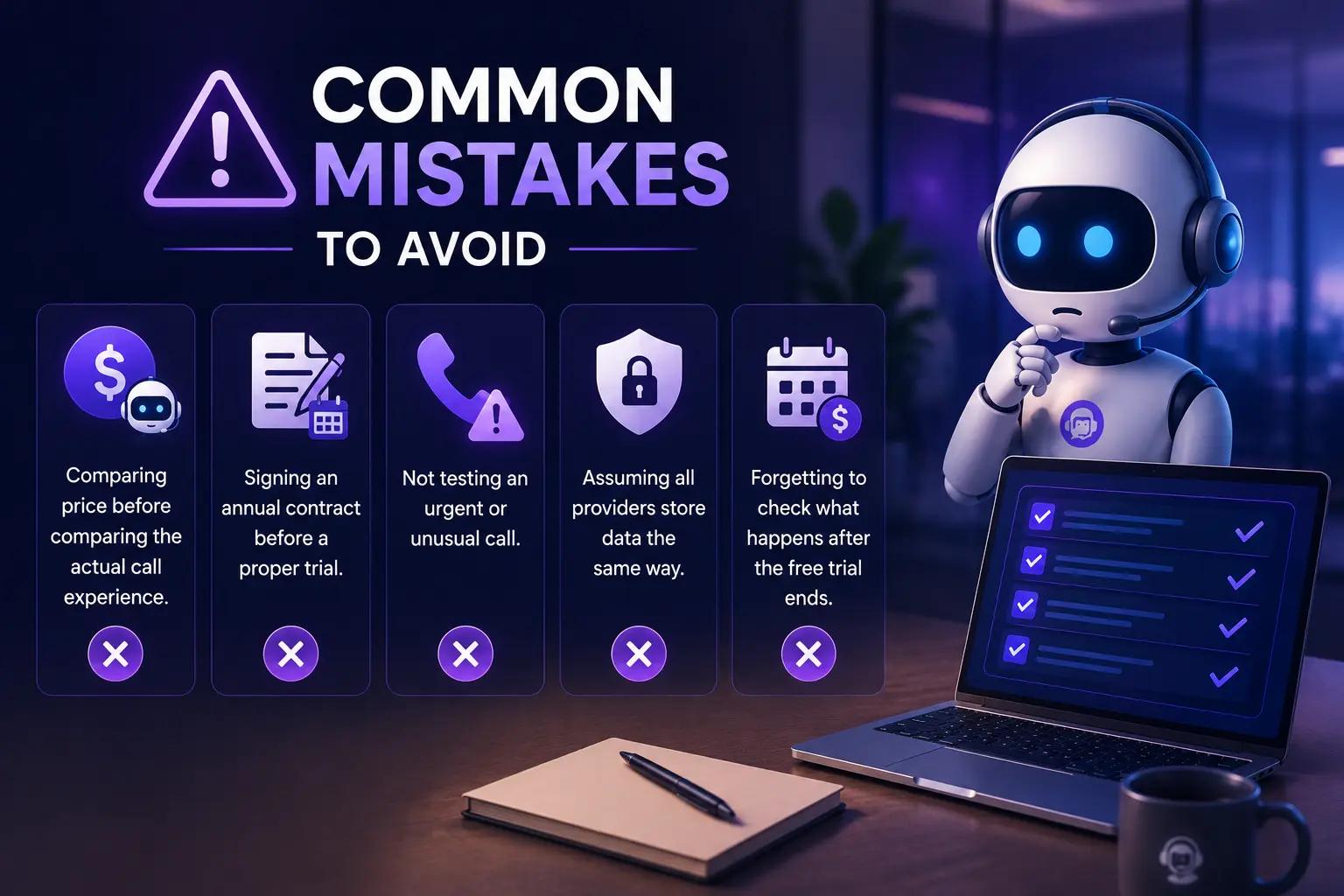
Common Mistakes to Avoid
Comparing the price before comparing the actual call experience. A cheap plan with a robotic voice or no booking ability isn't actually cheap; it's a missed customer.
Signing an annual contract before a proper trial. Start monthly. Upgrade once you trust it.
Not testing an urgent or unusual call. This is exactly the scenario that reveals whether human handoff actually works.
Assuming all providers store data the same way. They don't. Ask directly.
Forgetting to check what happens after the free trial ends. Know the exact price you'll be charged before the trial expires.
Quick Checklist Before You Sign Up
I know my real weekly call volume and when calls come in
I've heard a live demo call, not just read a features page
It books appointments in real time, not just takes a message
It connects to my calendar and/or CRM
I've tested how it handles an urgent or unusual call
I know exactly where and how my customer data is stored
I'm starting on a monthly plan with a free trial, not an annual contract
A Real Scenario: Choosing Between Providers
A small dental clinic was comparing three AI receptionist options. Two sleek websites and long feature lists. The clinic manager did the demo-call test anyway.
One provider's voice sounded stilted on anything outside a scripted greeting. Another could book appointments but had no clear answer when asked what happens if a patient calls about a dental emergency after hours it just took a message.
The third correctly recognized the emergency scenario, offered to transfer the call to the on-call dentist's mobile, and confirmed a routine booking smoothly in the same test call. That was the deciding factor, not the price, and not the marketing page.
The lesson: the provider that looks best on paper and the provider that performs best on a real call are sometimes different companies. Always test before you decide.

Where Hello22 AI Fits into This Decision
Using the same evaluation criteria, here's what Hello22 AI offers.
Step 2 (voice): Multiple natural-sounding English voice options to choose from, with a live sample call available on the website before you sign up.
Step 3 (booking): Book appointments directly into the calendar during the call, not just message-taking.
Step 4 (integration): Connects to Google Calendar and pushes leads to a CRM or webhook, with free CRM setup included.
Step 5 (human handoff): Configurable handoff rules so urgent or complex calls transfer to your team with context attached.
Step 6 (data): States that data is encrypted in transit and at rest and is not sold.
Step 7 (plan matching): Three plans (Starter $49, Standard $69, Premium $89 per month), each with 200 minutes, no setup fee, no lock-in contract, and a 14-day free trial with 30 minutes to test before paying.
Hello22 AI is upfront that it's in early access and currently answers in English, with more languages listed as upcoming rather than available today worth knowing if multilingual support is a dealbreaker for your business right now. As always, the free trial is the real test, not this list.
Trusted Resources for Australian Small Businesses
A few genuinely useful, independent (non-vendor) resources worth bookmarking while you're evaluating any business technology, not just AI receptionists:
Australian Privacy Principles OAIC The legal baseline for how any vendor should be handling your customers' personal information.
Digital Solutions program business.gov.au free and low-cost, government-backed advice for small businesses adopting new technology.
Small Business Cyber Resilience Service business.gov.au Free, one-on-one cyber security support for businesses with 19 or fewer staff, delivered by IDCARE.
Frequently Asked Questions
What's the first thing I should actually check before comparing AI receptionist providers?
Your own call volume and patterns, not the providers themselves. Knowing roughly how many calls you get a week, and when, tells you which plans are realistic before you've even looked at a single feature list.
How many call minutes does a typical small business actually need per month?
It depends heavily on your industry and call length, which is why checking your own phone records first matters more than any general number. A trades business with short booking calls will use minutes very differently to a clinic with longer, detailed-heavy calls.
Should I choose a provider that specializes in my industry, or a general one?
Either can work well, if the provider lets you customize the greeting, services, and FAQs to your business during setup. What matters more than "industry specialization" marketing is whether it performs well on a real demo call using your actual scenarios.
What questions should I ask on a demo call before signing up?
Ask what happens step by step when someone wants to book, what happens on an urgent or unusual call, where customer data is stored, and what the price looks like once you go over your included minutes.
Can I switch AI receptionist providers later if I'm not happy?
Generally, yes, especially if you've avoided a long lock-in contract. This is exactly why starting on a monthly plan matter: it keeps switching low-cost and low risk if a provider doesn't perform the way you expected.
How do I know if an AI receptionist is actually working well after I set it up?
Check out the call for summaries and transcripts regularly for the first few weeks, not just the booking numbers. Look specifically at how it's handling the calls that don't fit the standard script; that's where quality differences show up first.
Is it better to start with a monthly plan or commit to annual pricing for a lower rate?
Start monthly. The discount on an annual plan is rarely worth locking in before you've seen a full month of real call handling. Most reputable providers, including Hello22 AI, let you start with a free trial and a monthly plan for exactly this reason.